Instagram Traffic to Your Website: 10 Tactics That Actually Move Followers to Your Order Page
Instagram traffic to your website: bio link, Stories stickers, Reels with CTAs, DM automation, UTM tracking and GA4 checks. 10 tactics and 6 mistakes from MOVE.
In short
Instagram traffic to your website is built as a chain: content, a click point and a page that receives the person from their phone. One link in the bio isn’t enough. Instagram deliberately hides links, so followers don’t click through on their own: you have to guide them there. This article covers 10 tactics we use for restaurants, cafes and chains: bio links and highlights as a menu, Stories stickers and sequences, Reels with the right CTA, DM automation by keyword, collaborations, UTM tags and GA4 checks. Plus a “tactic / where / what to measure” table and 6 mistakes that leave you with followers but no orders from the website. Written from the experience of MOVE Agency, which runs Instagram for HoReCa, retail and service businesses in Kyiv, Poltava, Kharkiv, Dnipro and Lviv.
Why Instagram hides links and how to work with that
Instagram makes money from the time people spend inside the app. Every click to an external site costs the platform a minute of ad exposure, so it only makes three spots clickable: the profile link, a link sticker in Stories and buttons in ads. A link in a post or Reels caption stays plain text that nobody is going to copy by hand.
The second feature: the built-in browser. A person who taps a link doesn’t land in Safari or Chrome, but in Instagram’s simplified in-app browser. It’s slower, handles payment forms worse and doesn’t remember logins. A page that looks fine on a computer can take 5-6 seconds to load here, and half the people close it before it finishes.
Three rules follow from this, and the whole article rests on them:
- Content sells the next step, not the website. A Reel shows the dish, Stories provide the link, the website takes the order. Don’t try to do everything in one place.
- Every clickable point has to be prepared. Bio, stickers, pinned comments, DM auto-replies: all with the correct link and UTM tag.
- The landing page has to be light and mobile-friendly. Load speed in the in-app browser matters more than design.
Now let’s break down each tactic one by one.
Bio link and highlights as a menu
The bio remains the only permanent clickable spot in a profile, and it’s the one most often done wrong: a bare domain, or a third-party page with ten buttons that leads nowhere in particular.
How to do it right:
- Instagram allows up to five links in a profile. Use two to three: the main action (book, order, sign up), a menu or catalog and a current promotion.
- Label each link with an action: “Book a table for the weekend,” not “Our website.”
- The last line of your bio should point to the link: “Menu, delivery and bookings, link below.”
- Change the first link to match current activity: a seasonal menu launch, an event date, a new location.
- Give each link its own UTM tag so you know which one gets clicked.
Highlights as a website menu. Pinned Stories work as profile navigation that every new visitor sees. A working structure for a venue: “Menu,” “Booking,” “Delivery,” “Addresses,” “Reviews,” “Promotions.” Each highlight should have 3-5 Stories with product shots and a link sticker to the corresponding website page. That way, someone visiting the profile for the first time reaches the booking page in two taps, without hunting for the bio link.
For Takava coffee shops, we built the profile as an entry point: positioning as a specialty coffee leader in Kyiv, a recognizable tone of voice and 120% reach growth. Reach fills the top of the funnel, and a profile with clear highlights and links carries it to the next step.
Stories: link stickers and sequences
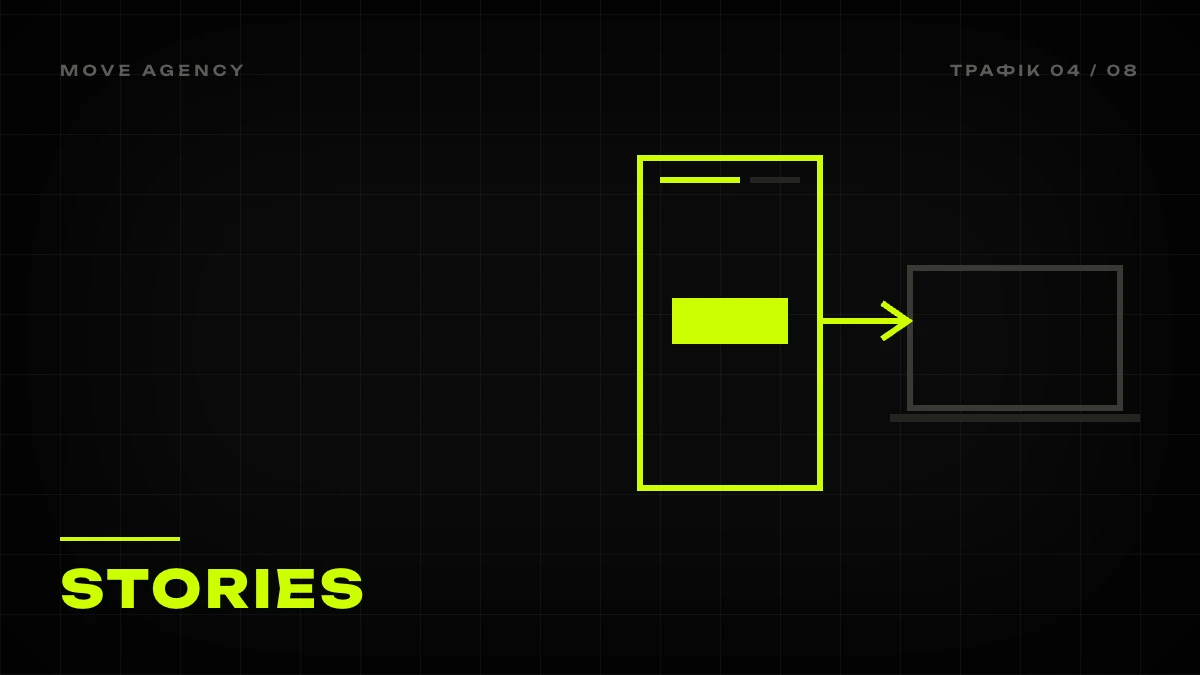
Stories deliver the most Instagram traffic to a website for businesses with an active audience. The link sticker is available to every account, and this is where clicks cost the least: the person is already watching your content and needs just one tap.
Sticker rules:
- Rename the sticker as an action: “Book Now,” “View Menu,” “Order Delivery.” A standard label with a domain name gets noticeably fewer clicks.
- Place the sticker in the lower third of the screen and reinforce it with an arrow or text: “tap here.”
- One Story, one link. Two stickers on the same screen reduce clicks on both.
Sequences instead of single Stories. One frame with a link performs weakly, because people swipe through Stories fast. A working sequence of 4-5 screens:
- The hook. A frame with the product or a question: “Where should we go for breakfast Saturday?”
- The context. What exactly you’re offering: a new item, an event, a promotion with a date.
- Social proof. A guest review, a repost, a shot of a full room.
- The action. Link sticker and clear text: “Saturday tables are running out, book now.”
- The reminder. A few hours later, a short frame “a few tables left” with the same link.
A sequence like this generates far more clicks than a single Story saying “link in bio,” and it takes 10 minutes to put together. For chains, add a separate screen for choosing a location: each city gets its own sticker and its own page.
Reels → website: CTA in the caption and pinned comment
Reels bring in people who don’t follow you, which is exactly why converting them is harder: Reels don’t have a clickable link. But there are four points that move a viewer further.
- CTA in the caption. The first line of the caption is visible without expanding, so it needs to contain an action: “This dish is on the menu, link in profile” or “Send us ‘MENU’ in DM, we’ll send it over.” Don’t waste the first line on hashtags.
- Pinned comment. Right after publishing, leave a comment from the account with the item’s name, price and an explanation of where to find the link. Pin it. A significant share of viewers reads comments, and this is the only spot under the video you can update later.
- On-screen text. The last 2 seconds of the clip: a frame reading “Order now, link in profile” or a keyword for DM.
- Repost to Stories with a sticker. Every Reel goes to Stories after publishing with a link to the page it’s promoting. That way viewers who followed after the video get a clickable point.
We covered which video formats gain views and what to measure from them in detail in the article Reels for business. The main point here is different: a video without a next step delivers reach that leads nowhere.
For Puzata Hata, we updated the digital communication of a brand with a 23-year history to win back a younger audience: social media, TikTok, Instagram and targeted ads in one system. Result: 1.6M views in 3 months and 500K+ monthly reach. That volume of views only makes sense when every video has a clear path to the menu and the venue, and that’s exactly what makes the case systematic: without the path to the menu, it would have been a one-time spike.
DM automation by keyword
The most underrated Instagram traffic tactic. The logic is simple: in a Reel, post or Stories, you ask people to type a keyword in DM or a comment, and automation immediately sends a reply message with a link. Links in DM are clickable, and the conversation itself opens a manual path to a sale if the person doesn’t click through.
How to set it up:
- Choose 3-5 keywords for different actions: “MENU,” “BOOKING,” “DELIVERY,” “PROMO,” a specific item name.
- A separate message for each word: one sentence, a link with a UTM tag and a question that keeps the conversation going: “Sending the menu now. How many people are you planning a table for?”
- Automation should trigger on both a comment under the post and a DM. Comments with the keyword also give the video a boost in the algorithm.
- One reminder after 24 hours for people who received the link but didn’t reply. More than that is spam.
Why this works. Typing “MENU” in a comment is much easier than searching for a link in the profile. The person doesn’t leave the context of the video, gets the link right where they’re already reading, and sees that there’s a real team on the other side they can work things out with. In our projects for venues, DM often becomes the first point of contact with a new guest: a typical first message starts with “saw you on Reels.”
Collaborations as a traffic source
Joint posts with other brands, local influencers and guests put your content in front of someone else’s audience, with your profile credited as a co-author. For website traffic, this works as follows:
- A joint Reel or post is published from two accounts at once, and both profiles with bio links become entry points.
- The partner posts Stories with a sticker linking to your page: this is the only way to get a clickable link from someone else’s account without running an ad.
- UGC content from guests with a profile tag transfers trust: the person arrives not from an ad, but from a recommendation.
For the Franyk chain, collaborations and UGC were part of full social media management: over 2+ years of work, the brand expanded to 5 cities, and engagement grew by 85%. The client describes it as “a culture around the brand,” and that’s exactly what delivers a steady stream of people into the profile and on to the website, something one-off posts can’t do. For how to choose partners and what to put in agreements, we covered this separately: brand collaborations and UGC content.
UTM tags and GA4 checks
Without tags, you don’t know whether any of the tactics above are actually working. Clicks from Instagram’s built-in browser often land in GA4 as “direct” or “(not set),” making the report look as if social media delivers nothing.
Minimum tagging standard:
| Parameter | Value | Example |
|---|---|---|
| utm_source | always instagram | |
| utm_medium | click point type | bio, stories, dm, reels_comment, collab |
| utm_campaign | activity or month | breakfast_menu, sept_promo |
| utm_content | specific link or Story | bio_link_1, story_day3 |
What to do next:
- Build a table of every link that lives in the profile, highlights and automations, with each one’s tag. Update it with every change.
- Only shorten links with your own domain or a service that preserves UTM parameters. Some shorteners strip them.
- In GA4, open the “Source / medium” report and add the “Campaign” and “Content” dimensions. Once a week, compare click counts from Instagram data against sessions from GA4 data.
- Set up key events: booking, order, call, completed form. Without events, traffic just remains visits.
A gap of 20-40% between Instagram clicks and GA4 sessions is normal: some people close the page before the analytics script loads. If the gap is 60% or more, the problem is page speed in the built-in browser, and no content tactic will fix that. For the full picture of traffic sources and how to compare them against each other, read website traffic sources and how to increase website traffic.
What converts: where to send Instagram traffic
The landing page determines half the result. Mobile traffic from social media is impatient: the person came from their phone with a specific intent and is ready to complete one action.
Pages that work:
- Booking page. A 3-4 field form or a widget with date and guest count selection. No registration, no “leave a request, we’ll call you back.”
- Menu with prices and photos. Not a 15-page PDF, but a mobile page with categories and an “order” button next to each item.
- Offer page. One proposal, one date, one button. This is exactly where Stories sequences and promo Reels lead.
- Location page. For chains, a separate page for each venue: address, map, hours, a directions button and booking.
Pages that don’t work: a homepage with ten sections, an “About us” page, a catalog without prices, any page with an eight-field form.
We covered how a venue’s website should be structured to receive mobile traffic in the article website for a restaurant. In short: speed, one action per screen, prices and contacts without searching. Once the page is ready, the same traffic can be scaled with ads: targeting and performance starting at $400 works with the same landing pages and the same UTM tags.
Table: tactic / where / what to measure
A summary table of all ten tactics so you can go through your own account as a checklist.
| # | Tactic | Where in Instagram | What to measure |
|---|---|---|---|
| 1 | Bio link with action-based label | Profile | Link clicks, sessions with utm_medium=bio |
| 2 | Highlights as a menu | Pinned Stories | Highlight views, sticker clicks within them |
| 3 | Link sticker | Stories | Sticker taps, sessions with utm_medium=stories |
| 4 | Stories sequence | Stories, 4-5 screens | Retention by screen, clicks on the last one |
| 5 | CTA in Reels caption | First line of the caption | Profile visits after the video |
| 6 | Pinned comment | Comments under Reels | Replies to the comment, bio clicks on publish day |
| 7 | Reel repost to Stories | Stories | Sticker taps from that repost |
| 8 | DM automation | DMs and comments | Keyword count, clicks, replies after the link |
| 9 | Collaborations | Joint posts, partner Stories | New followers, sessions with utm_medium=collab |
| 10 | Ads with a landing page | Ad button | Cost per click and per key event in GA4 |
Once a month, pull these numbers into one table and see where bookings and orders come from, not just clicks. Usually it turns out that most events come from Stories sequences and DMs, while Reels work at the top of the funnel. That’s normal, and it’s exactly how you plan content for the following month.
6 mistakes that leave you with followers but no website traffic
- A bare domain in the bio. “move.marketing” with no action and no explanation gets clicked several times worse than “Book a table for the weekend.”
- The link leads to the homepage. The person was looking for the specific dish or service from a Reel and landed on a page with the site’s menu. Most people close it.
- One Story instead of a sequence. A single frame saying “link in bio” with no context or social proof gets swiped past in a second.
- No UTM tags. Instagram traffic dissolves into “direct,” and you conclude that social media doesn’t work.
- A slow page in the built-in browser. A heavy site with animations that looks great on a computer takes longer to load in Instagram’s viewer than the guest’s patience lasts.
- Automation with no human. The bot sent a link and went silent. Half the people don’t click through, but they do reply, and that’s exactly where a manager needs to keep the conversation going.
The common thread across all these mistakes: a gap between content and the website. At MOVE, this is one system: content calendar, Stories and Reels, DM automation, UTM tagging and monthly analytics are all part of full social media management starting at $900 per month, and the same team builds the website that receives that traffic, if needed.
Want your Instagram followers to actually reach your website and place orders? The gap becomes visible after one social media audit of your profile and click funnel: we go through the profile, click points, landing pages and analytics, show you exactly where traffic is being lost, and lay out the tactics from this article in the order you should launch them for your business.